
KAC: A small cube becomes a status display for network, firewall and NAS
Summary
In October 2026 I wrote my own firmware for the GeekMagic SmallTV Ultra, a cube-shaped Wi-Fi display with an ESP8266: KAC, the KleinerAnzeigeComputer ("little display computer"). It shows the throughput of my two internet lines, the state of the firewall and the NAS disks in rotation, does not flicker and broadcasts no open Wi-Fi in normal operation. The firmware can be installed directly through the update page of the factory firmware, and this post shows how to build your own dashboard for it.
The device
The GeekMagic SmallTV Ultra is a small cube with an IPS display. Inside are an ESP8266 as an ESP-12F module with 4 MB of flash and about 80 KB of RAM, and a 240 × 240 pixel IPS panel with an ST7789 controller. Power comes via USB-C; a serial port is only available via solder pads inside the case.
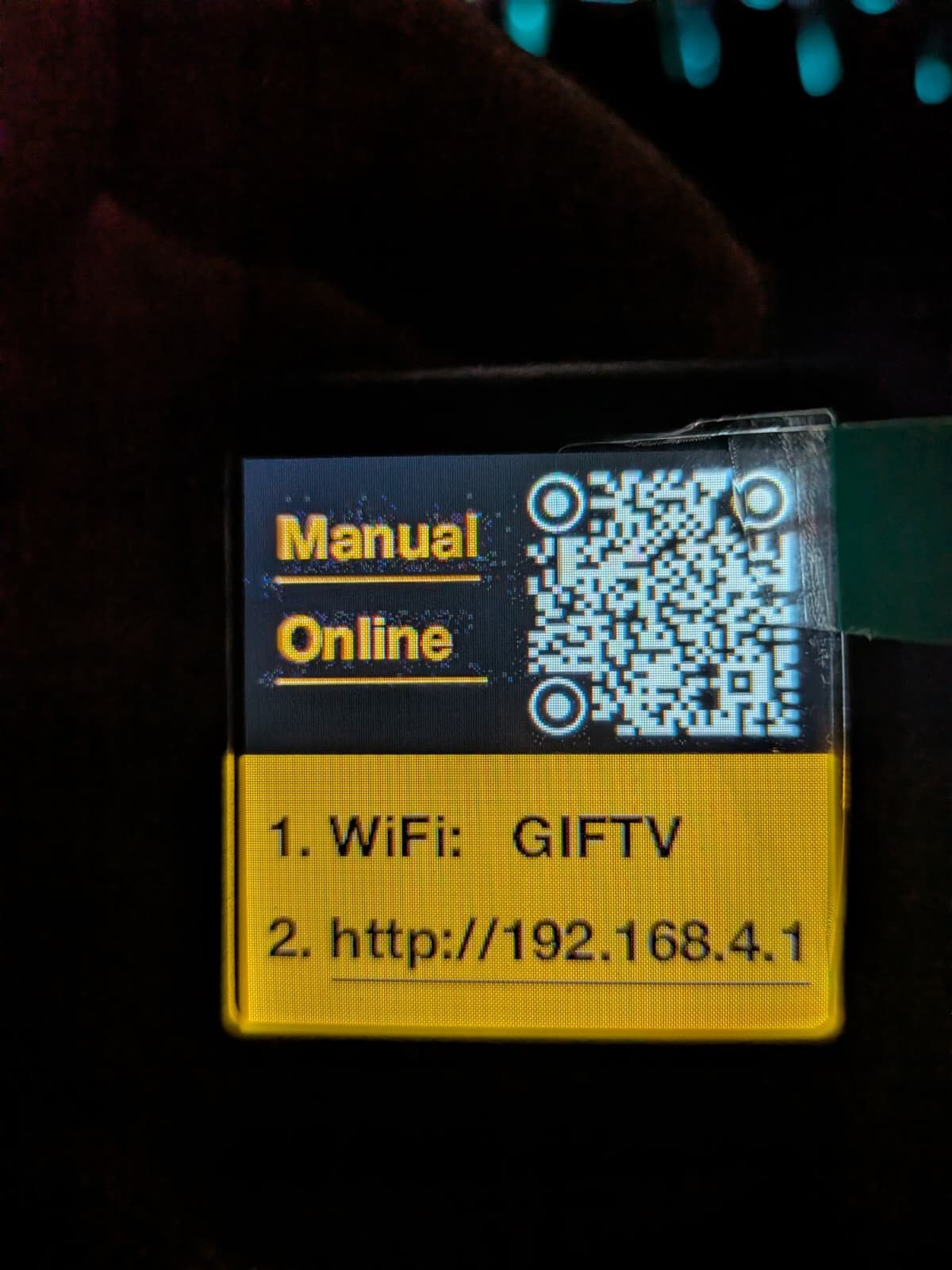
Out of the box it shows the time, weather and pictures. It is set up through an open Wi-Fi called GIFTV and then fetches its data from the internet. It cannot show your own values, and that is exactly what I wanted: upload and download of my two internet connections, at a glance next to the monitor.
First attempt: third-party firmware with a catch
First I tried the alternative firmware u1pns/smalltv-ultra. It can show panels, pages sent by a program on the network, and that worked right away. Two things bothered me, though: every new page redraws the whole screen, which looks restless with values updated every second. And the device permanently broadcasts its own access point, with the built-in password 12345678.
That is a deliberate design there: the access point belongs to the rescue mode and is meant to make sure the device can always be reached. It cannot be switched off, and the web interface credentials are fixed in the image as well. Anyone within radio range can connect and upload any firmware. I did not want that in my network.
Own firmware: the bootloader decides
So I went for my own firmware, written with the Arduino core for the ESP8266, the TFT_eSPI graphics library and ArduinoJson. The display pinout comes from the ESPHome device page for this model: hardware SPI on GPIO14 and GPIO13, DC on GPIO0, reset on GPIO2, no chip select, SPI mode 3, inverted backlight on GPIO5.
The interesting question was how to get the firmware onto the device without opening the case. An Arduino image for the ESP8266 starts with a small bootloader called eboot; the actual application follows from address 0x1000. I compared the images: factory firmware V9.0.50, the alternative firmware and my own build with PlatformIO and Arduino core 3.1.2 have a byte-identical bootloader in the first 4096 bytes and the same flash header (DIO, 4 MB, 40 MHz).
So the update page of the factory firmware simply accepts the custom image. The only limit is space: next to the running factory firmware there are, by my estimate, about 500 KB free, and KAC needs about 390 KB. I tried it on a second, identical device with factory firmware V9.0.51: upload the file, "Update Success! Rebooting...", done.
curl -F "firmware=@firmware.bin" http://<device>/updateSetup without a default password
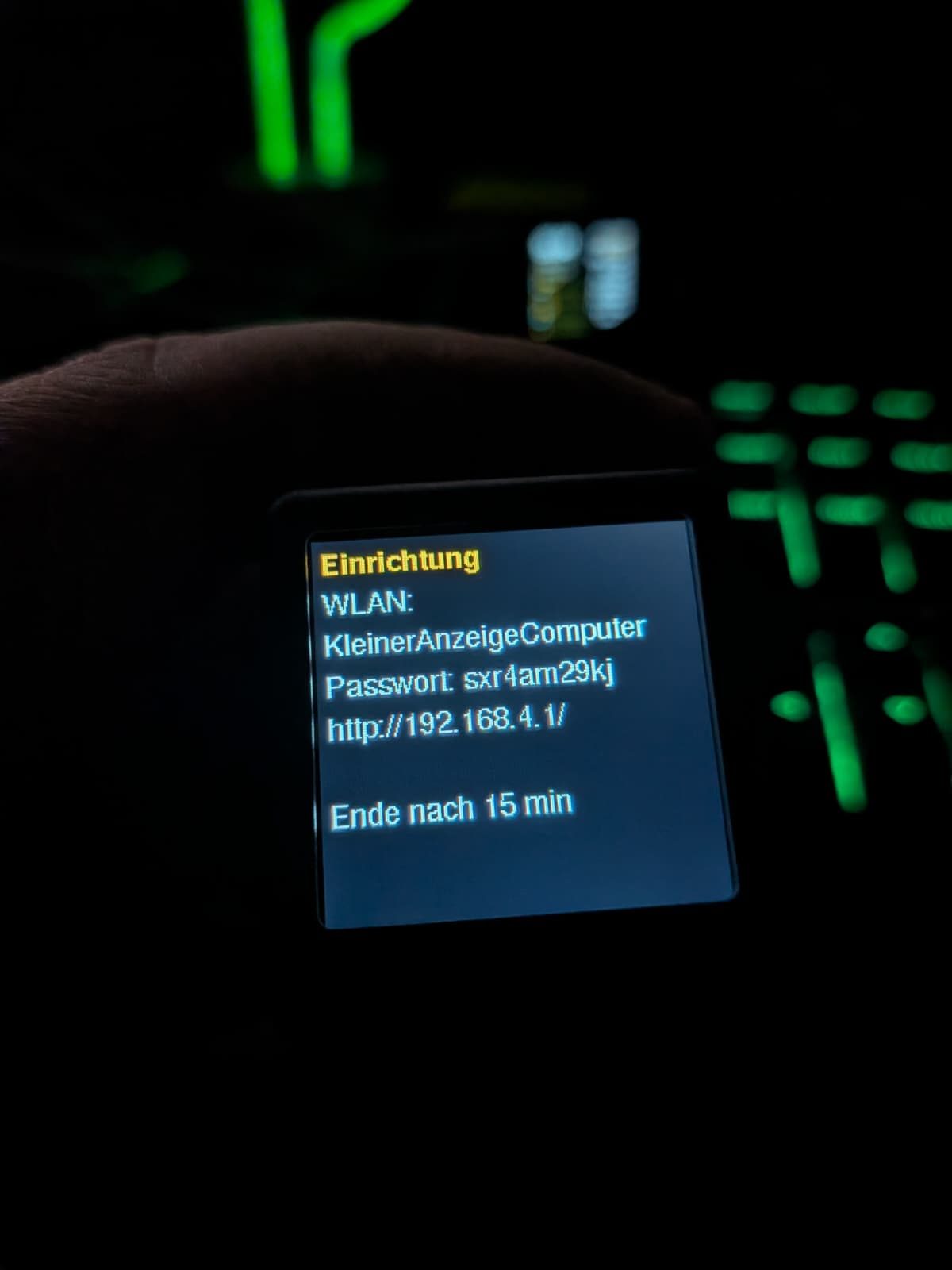
In normal operation KAC is only a Wi-Fi client and broadcasts nothing. Setup uses the power plug, an idea from the alternative firmware, which starts its rescue mode that way: cut the power five times in a row, each time after less than ten seconds, and the setup mode starts. A counter in flash remembers the short boots; if the device runs longer, it resets.
The device then opens a Wi-Fi named KAC plus the last three bytes of its MAC address, for example KAC-4670fa. The password has ten characters, is generated randomly every time and appears only on the display. Whoever wants to read it has to stand in front of the device. After saving, KAC restarts and the access point is gone; without input it also ends after 15 minutes.
Flicker-free: drawing rows in memory
A simple trick prevents the flicker. The screen consists of a header and eight rows of 25 pixels each. The device remembers what each row shows and only redraws rows that changed. A changed row is first drawn completely into an off-screen buffer, a so-called sprite, and then transferred in one piece. Nothing is ever visibly cleared.
Because memory is tight, the sprite has only 8-bit color: 3 bits red, 3 green, 2 blue. That promptly cost me a bug. My dark grey for the empty part of the bars had so little blue that it was rounded down to zero, and what remained was olive. Since then all colors are chosen so that they survive the reduction to 8 bits. A second bug only showed up in the photo: the case hides the outermost pixels on the right edge, so right-aligned text now ends a few pixels earlier.
With this technique the display handles updates every second without flickering. The device sets the time and date itself via NTP and also takes care of page rotation: which page is shown follows from the time of day.
The dashboard
The data comes from a small Python program on my admin machine, every five seconds as JSON over HTTP. Its key lives only in a configuration file; without it the device answers with 403. There are three pages:
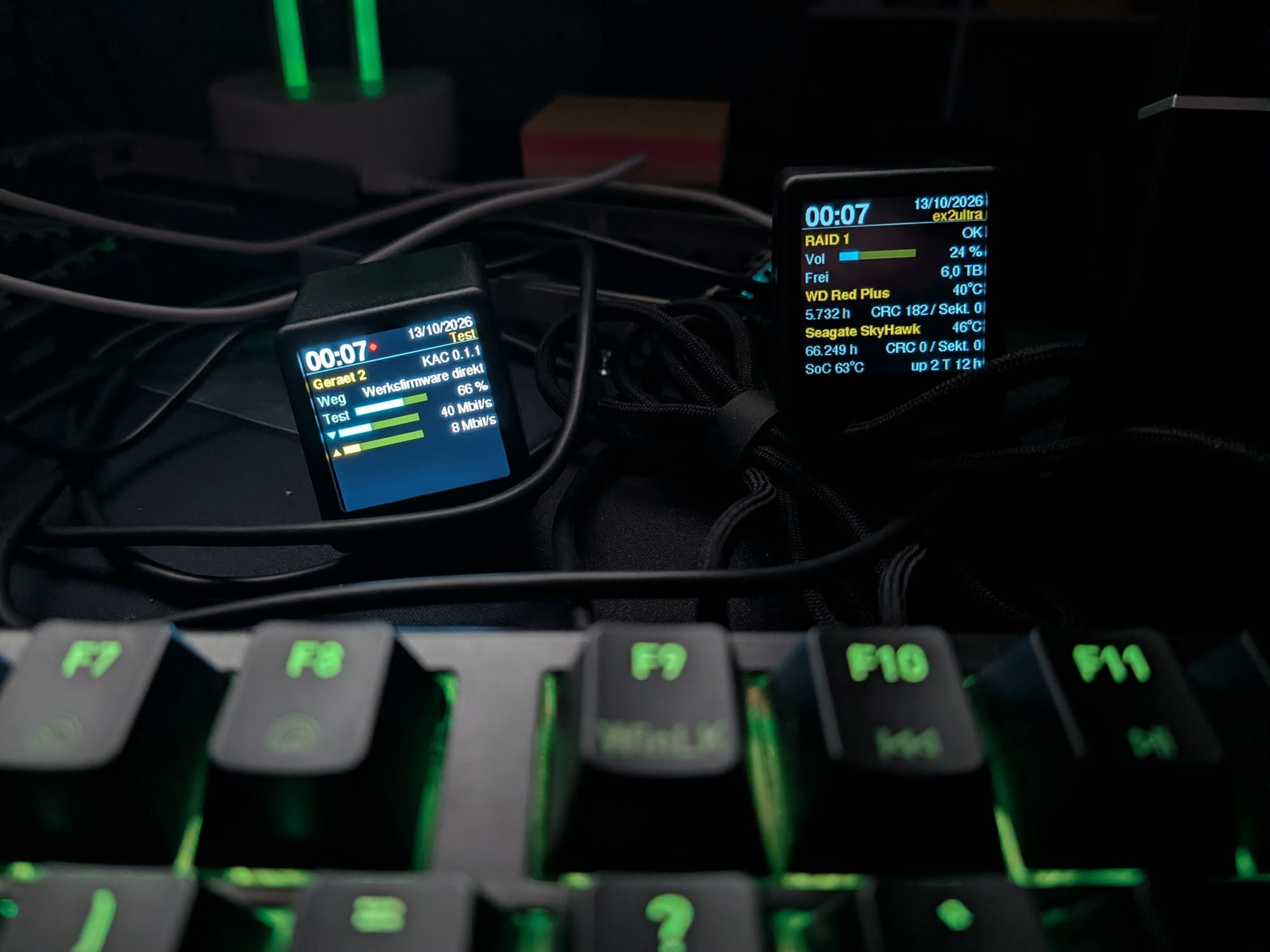
- Internet: download and upload bars for both lines, latency over IPv4 and IPv6, plus the number of active clients, the VPN latency and the traffic since midnight.
- Firewall: temperature, CPU and RAM of the OPNsense, open connections, new connections per second, source and destination addresses, processes and blocked packets per hour.
- NAS: RAID status, usage and, per disk, temperature, power-on hours, CRC errors and bad sectors, read via SSH and smartctl.
The firewall values come through its API, with a dedicated user that has only three read privileges: traffic, system health and ARP table. The program computes throughput from the difference of two byte counters; latency and daily traffic come from the history that OPNsense records anyway. Problems turn a row red, for example from five percent packet loss on a line.
On the side, the NAS page has already found something: one of the two disks reports 182 CRC errors, that is, transfer errors between disk and controller. That fits the crashes the NAS from the post about the EX2 Ultra has had meanwhile when both disks spin up at the same time, and the suspicion of a weak power supply.
The QR code on the device
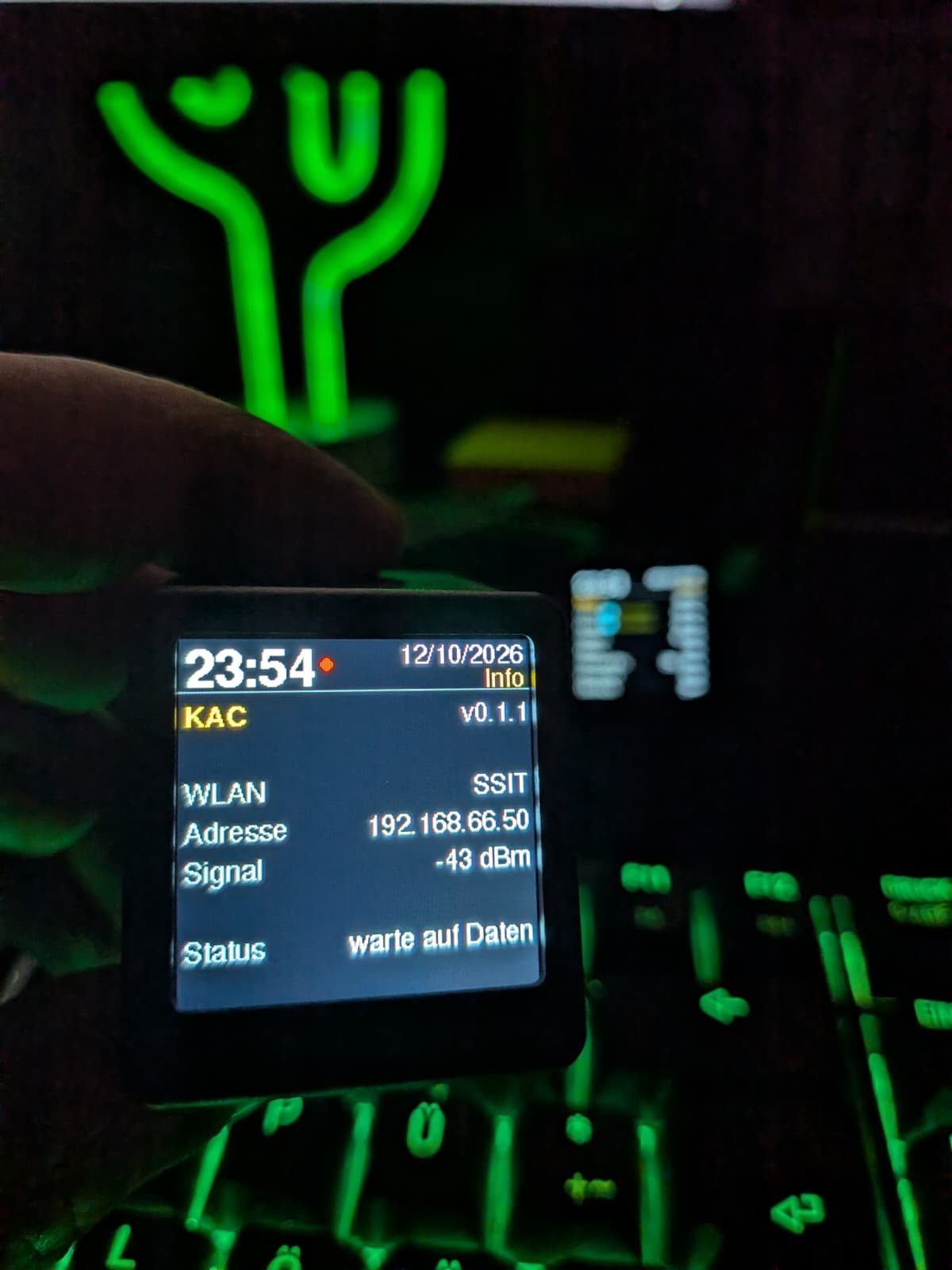
As long as no data arrives, KAC shows an info page: version, IP address, Wi-Fi and signal strength. Below it is a QR code to this post. Anyone who gets hold of a device running KAC finds the instructions without having to know where to look.
Build your own
Firmware, dashboard program and detailed instructions are on GitHub under the GPL-3.0. The steps:
- Install PlatformIO and create a secret device key, for example with
python3 -c 'import secrets;print(secrets.token_hex(16))'. - Build with
KAC_TOKEN=<key> pio run. Without a key the build fails, so that no device ever ends up with an empty update password. - Upload the image through the update page of the factory firmware, in the "firmware" field.
- The setup screen appears: connect to KAC-<chip ID>, open http://192.168.4.1/, pick your Wi-Fi, enter the password.
- Send pages, for example with curl or the Python program from the repository.
curl -X POST http://<device>/api/seiten -H "X-Token: $KAC_TOKEN" \
  -d '{"seiten":[{"t":"Test","z":[{"y":"h","l":"Hello","v":"World"},
       {"y":"b","l":"CPU","p":42,"v":"42 %"}]}]}'
A page has up to eight rows. There are headings, label with value, bars with an arrow for download and upload, and bars with a label. The fonts only know ASCII and the degree sign, so umlauts are written as ae, oe and ue.
What you can take away
- Before flashing your own firmware, compare the first 4 KB of the images: if the bootloader is identical, the existing updater often accepts the image.
- With alternative firmware, check which access paths it keeps open permanently. A built-in password is an open door in your own network.
- On small displays, draw row by row into an off-screen buffer; then nothing flickers, even with updates every second.
- Give a dashboard program its own API user with read-only privileges instead of an admin account.
Numbers at a glance
- The SmallTV Ultra has an ESP8266 (ESP-12F) with 4 MB of flash and a 240 × 240 display with an ST7789 controller.
- KAC is about 390 KB in size and uses about 37 percent of the application space.
- Factory firmware, alternative firmware and KAC share a byte-identical bootloader in the first 4096 bytes.
- Setup starts after five short power cuts; the Wi-Fi password has ten random characters and is valid for at most 15 minutes.
- The dashboard sends new values every five seconds, and the device writes nothing to flash when receiving them.
References
- KAC on GitHub: firmware, dashboard and instructions
- GeekMagic: SmallTV Ultra factory firmware
- ESPHome device page GeekMagic Ultra (pinout)
- u1pns/smalltv-ultra: alternative firmware
- TFT_eSPI: graphics library
- Arduino core for the ESP8266
- WD My Cloud EX2 Ultra: OpenWrt, a brick and a Flipper to the rescue
Remarks
- Thomas pointed me to the SmallTV Ultra and recommended the device.
- The name KleinerAnzeigeComputer came from my wife. I had asked how one would describe the device in a few words, and the answer fit so well that it stuck. On the network each device calls itself KleinerAnzeigeComputer plus its chip ID.
- Firmware, dashboard and tests were written and run by my SoftwareSklave; the ideas, the layout and the decisions were mine. The photos were taken with a phone and partly show older versions.
Links to the original source and the Web Archive open in a new tab.